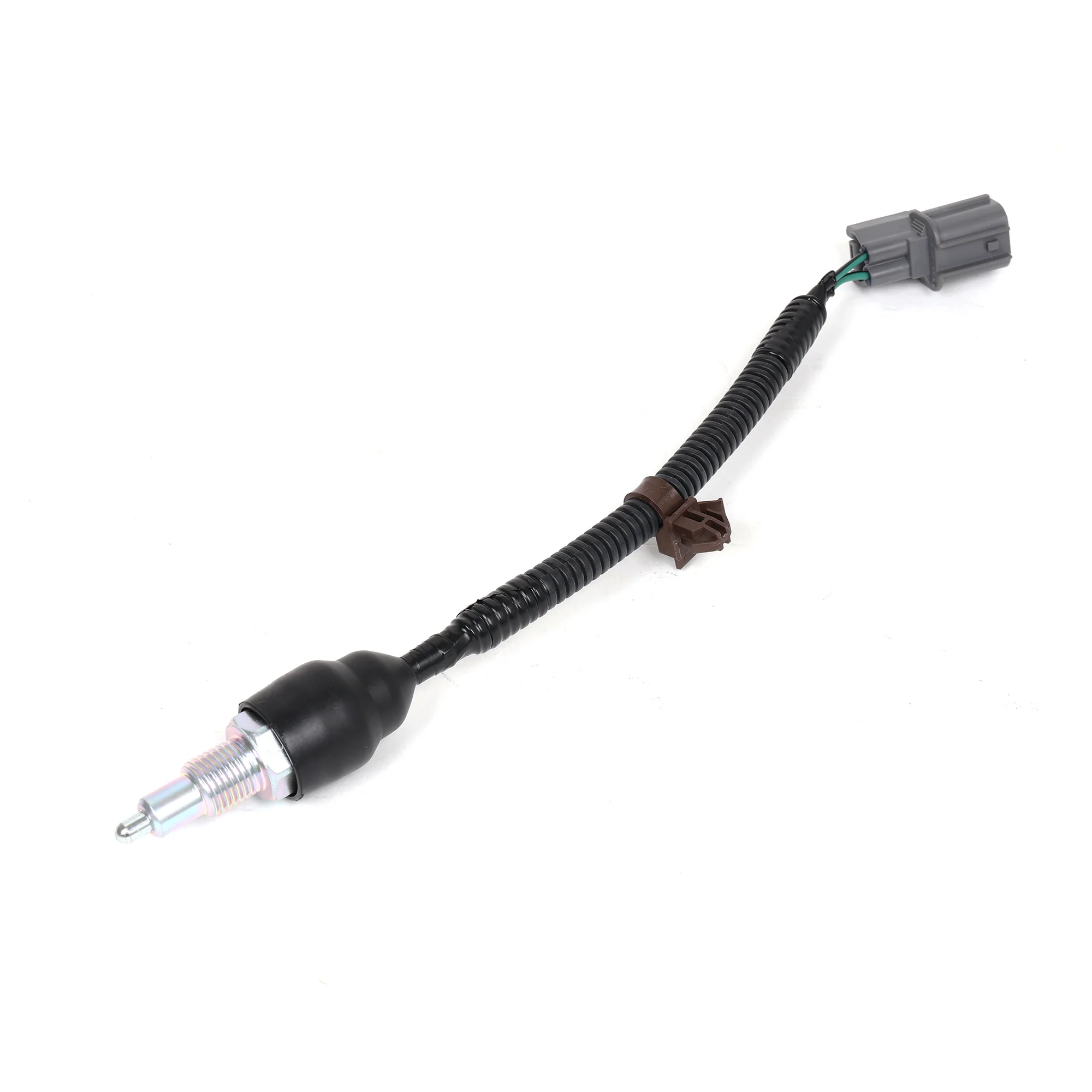
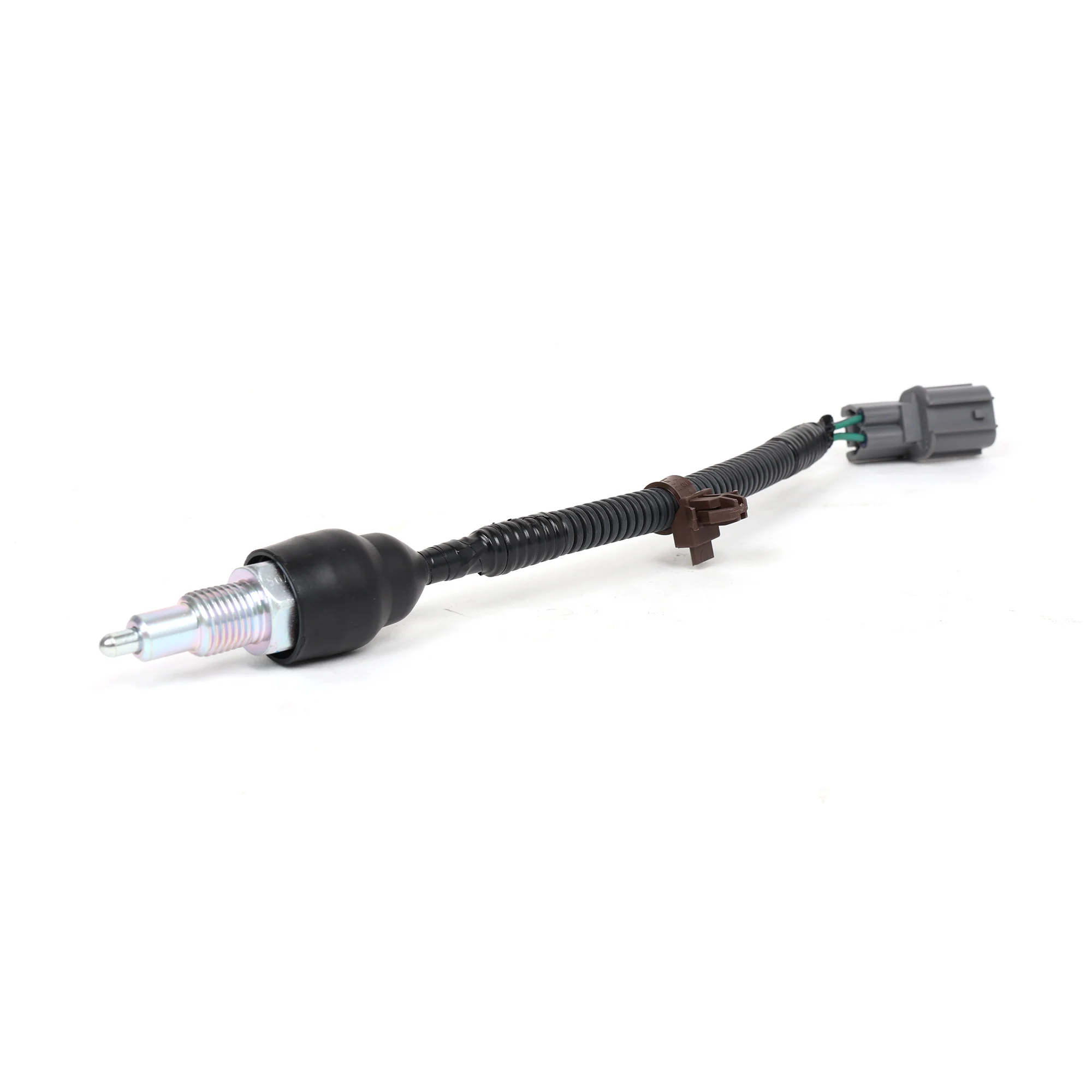
Haltech Nexus/Elite 15 Button CAN Keypad
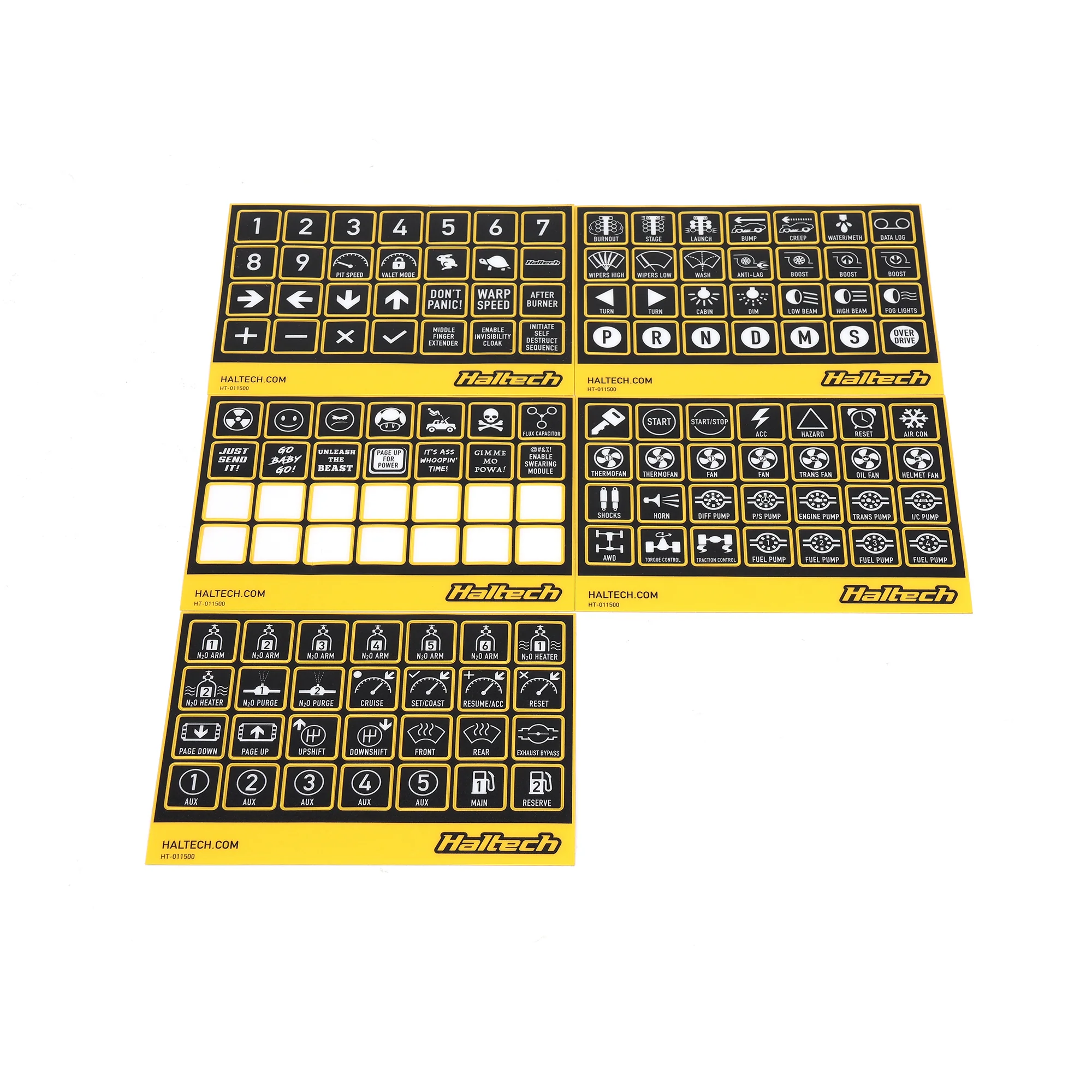
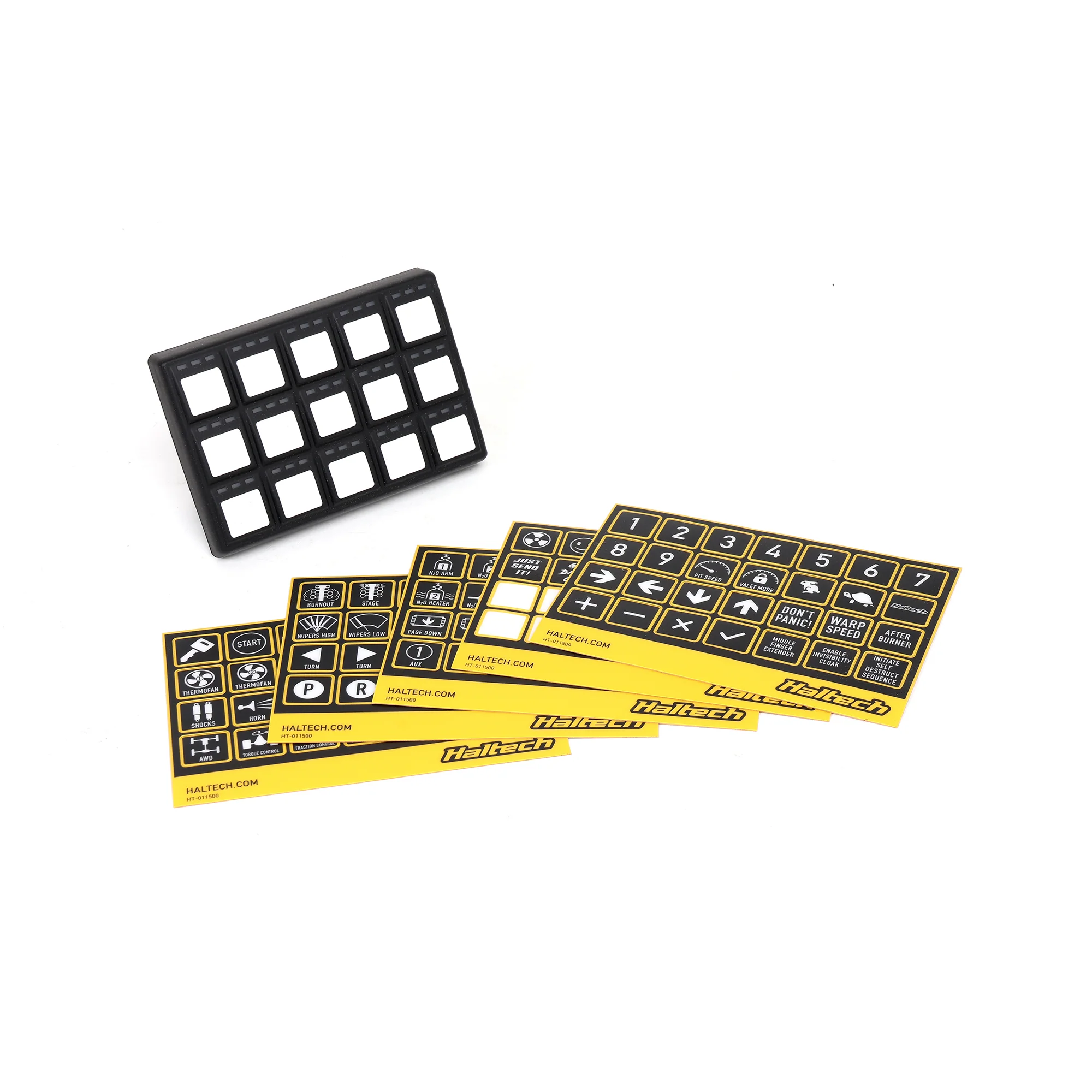
- Multiple Decal Sheets for Customizing Keypad
- Compatible with Nexus and Elite ECUs
- Dimmable LED Indicators
- 3 by 5 Switch Panel
- Description
- Vehicle Fitment
- Included
-
Haltech Nexus/Elite 15 Button CAN Keypad
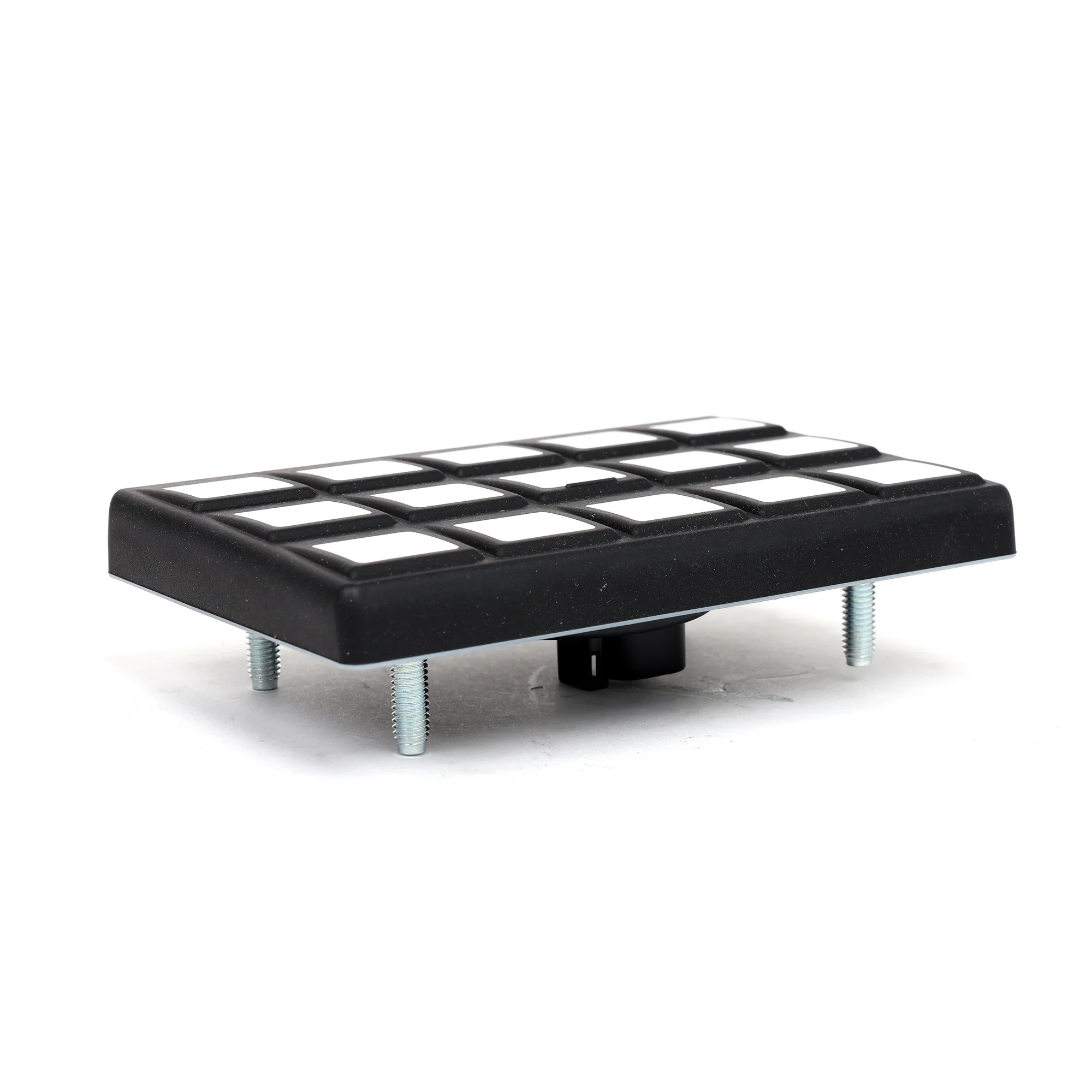
Running a Haltech Nexus or Elite ECU and you're tired of digging through menus on your laptop to change boost targets or switch maps? The Haltech 15 button CAN keypad gives you 15 programmable buttons you can assign to whatever functions you want. I've got one in my turbo Civic and I've programmed buttons for boost control, launch control, traction control, flat shift, and map switching. Hit a button and your boost target changes instantly, no laptop needed. The keypad's plug and play with Haltech Nexus and Elite ECUs. You're running a CAN cable from your ECU to the keypad, assigning functions in the Haltech software, and you're done. If you're doing any kind of tuning or racing where you need to change settings on the fly, this keypad's way easier than a laptop.
Here's What You Can Actually Do with 15 Buttons
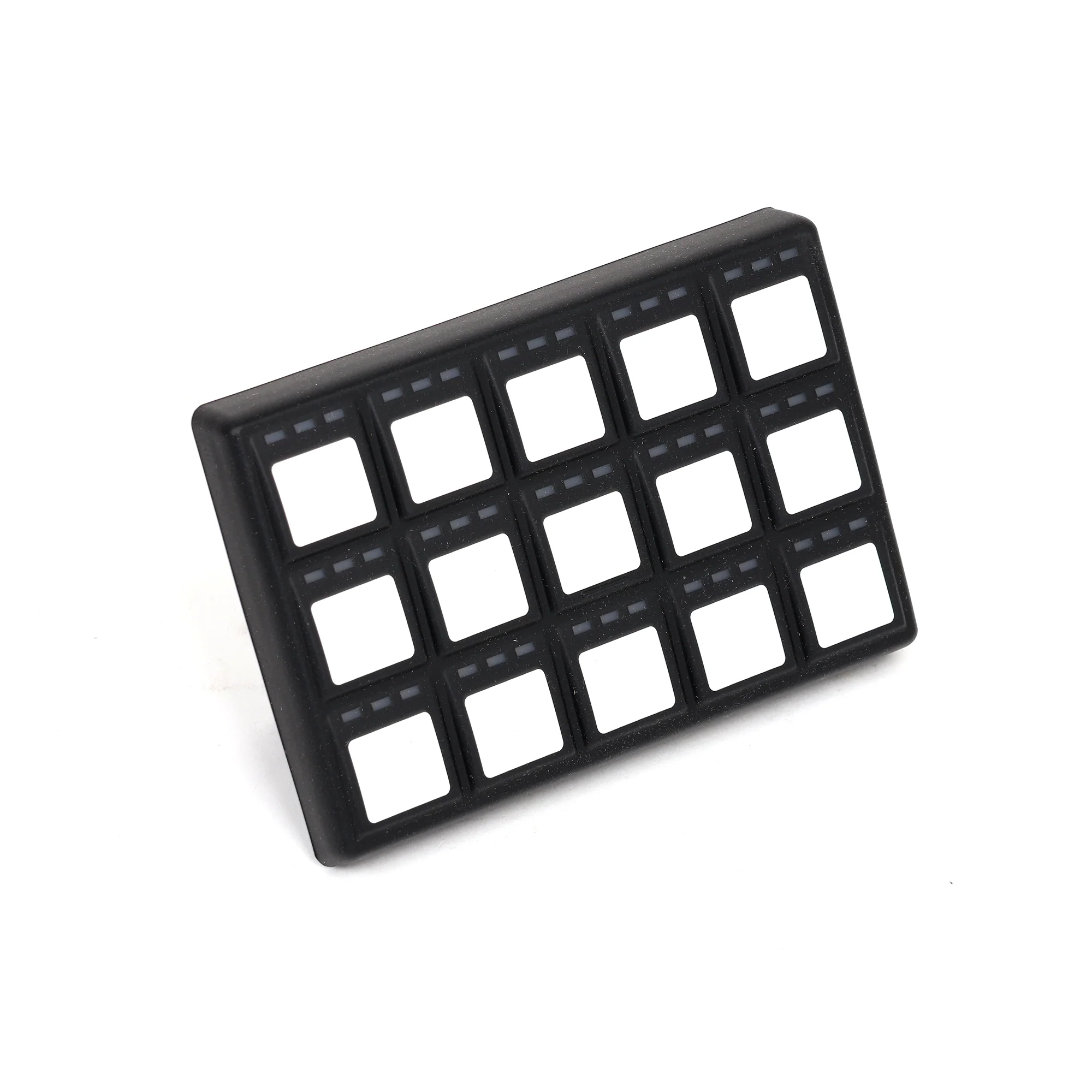
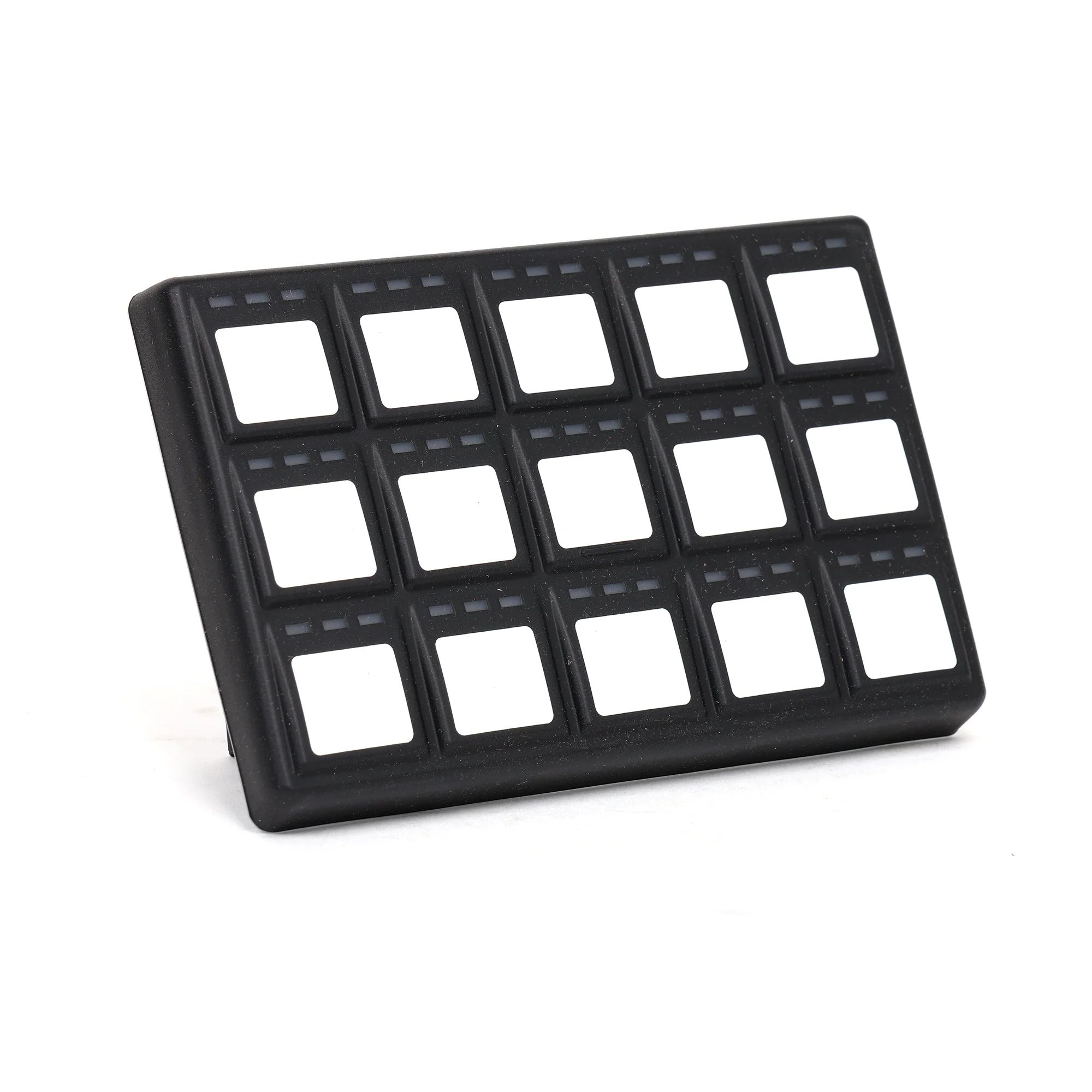
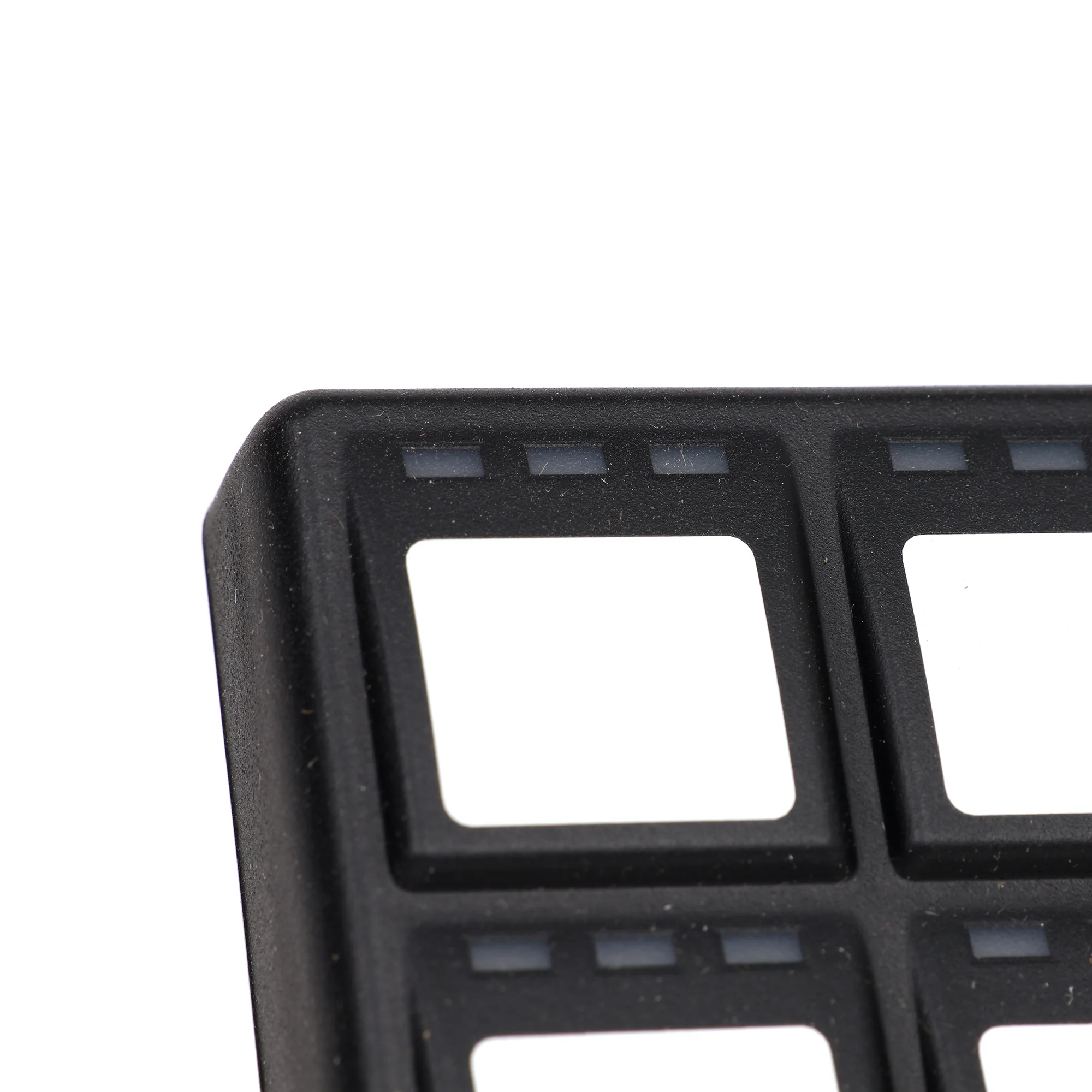
The keypad gives you 15 physical buttons arranged in a 3x5 grid. Each button can be programmed to trigger any CAN function your Haltech ECU supports. Common uses: boost control (multiple boost targets), map switching (pump gas map, E85 map, race map), launch control on/off, traction control on/off, anti-lag on/off, flat shift enable, data logging start/stop, pit speed limiter, fan override. You can also use buttons as momentary switches (hold the button, function's active, release the button, function's off) or latching switches (press once to turn on, press again to turn off). The buttons have LED indicators that light up when a function's active. The LEDs are dimmable so they're not blinding you at night. I've programmed my keypad so the LEDs show me which boost map I'm on, which traction control setting's active, and whether launch control's armed.
Plug and Play with Haltech Nexus and Elite ECUs
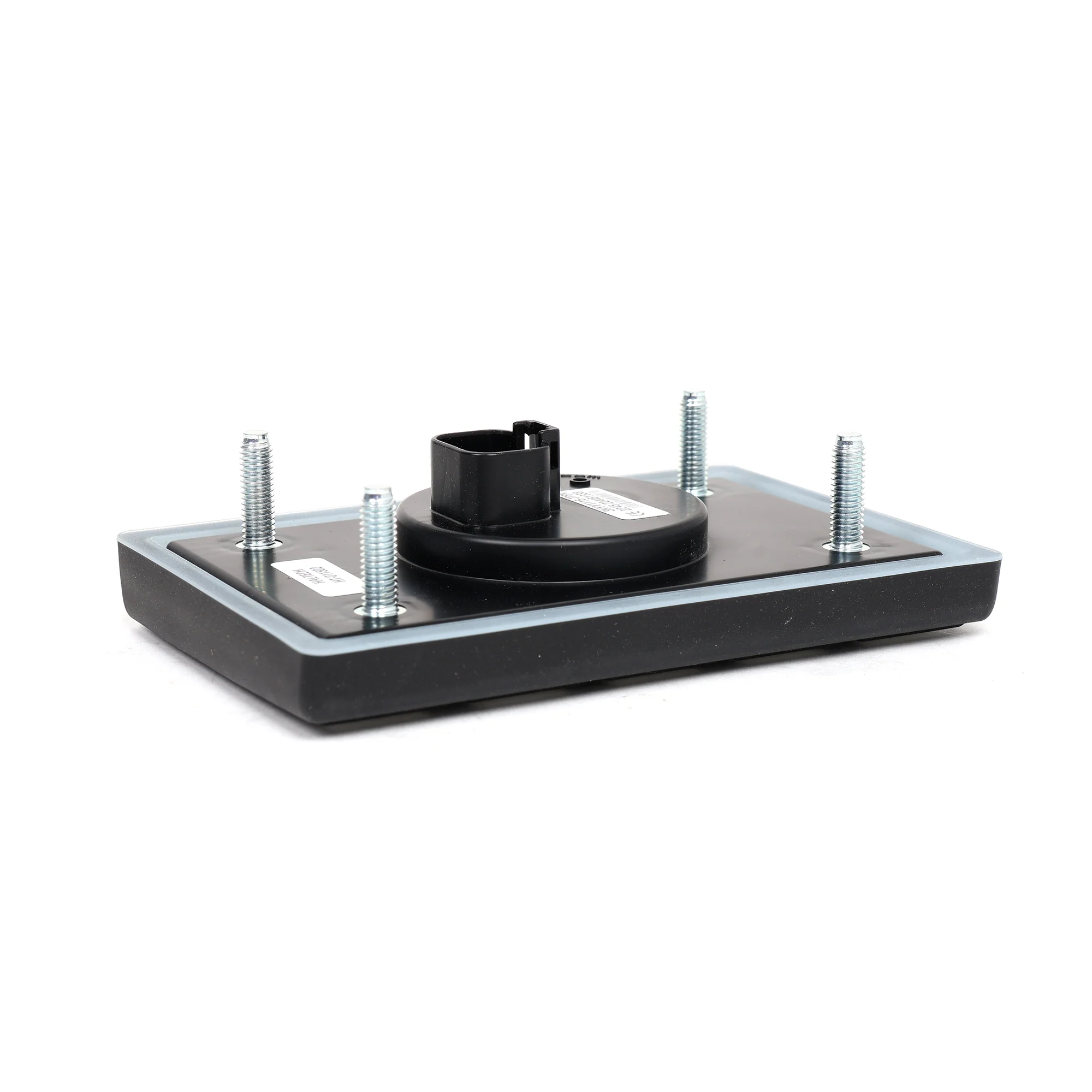
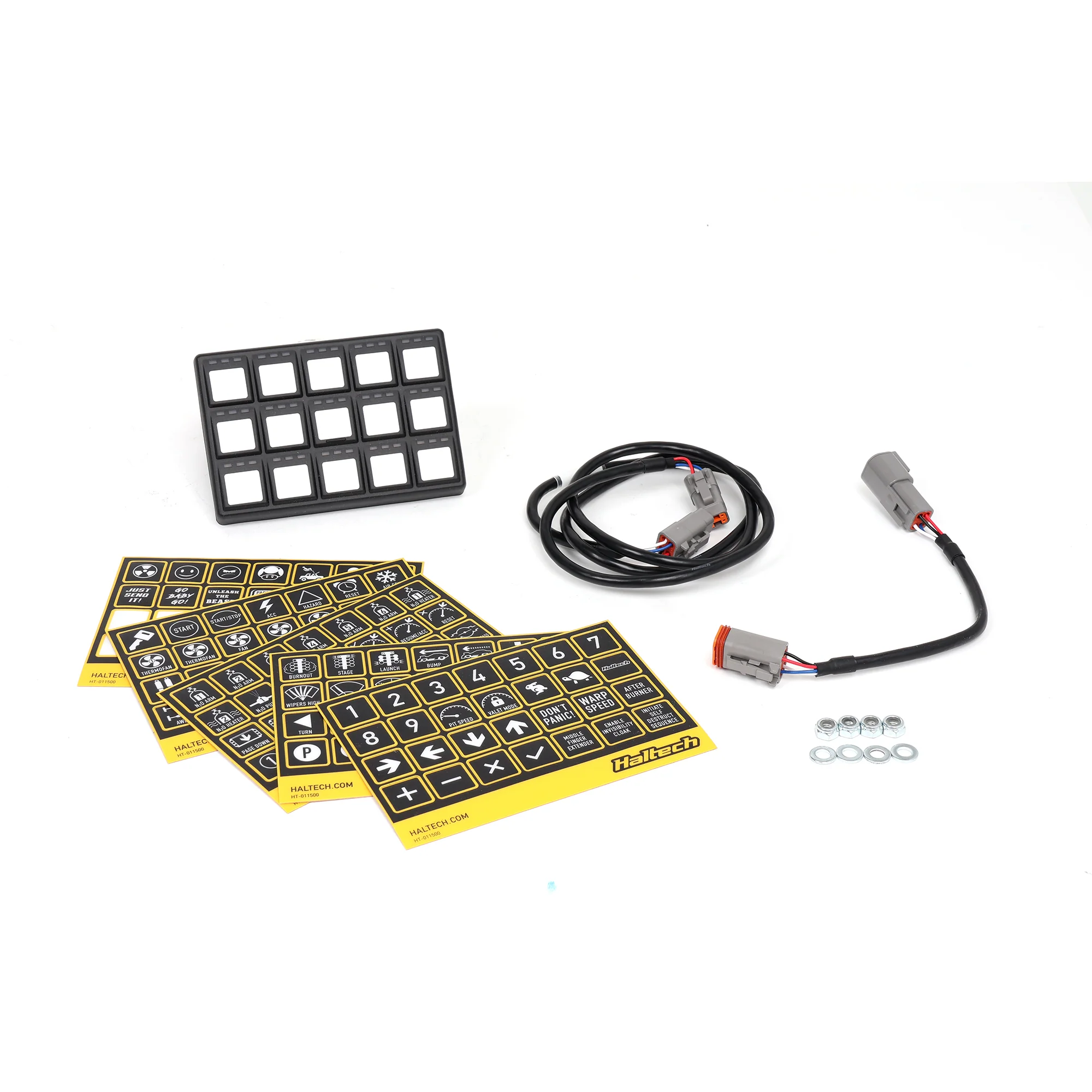
The keypad connects to your Haltech ECU via CAN bus. It comes with a DTM to DTM cable (1200mm long), a DT-4 to DTM-4 adapter harness, and mounting hardware. You're plugging the keypad into your ECU's CAN port, running the cable to wherever you're mounting the keypad, and assigning button functions in the Haltech NSP or ESP software. The keypad shows up automatically in the software once it's connected. There's no wiring or soldering required. If you can plug in a cable and click buttons in software, you can install this keypad. The hardest part's deciding where to mount it in your car.
IP67 Sealed, Built for Racing
The keypad's sealed to IP67, which means it's dust-tight and it can handle water immersion up to 1 meter for 30 minutes. That's overkill for most car interiors, but it means you can mount the keypad anywhere without worrying about dust, moisture, or spills killing it. The buttons are rated for 1,000,000 cycles each. If you're hitting a button 100 times per track day and you do 50 track days a year, that's 5,000 presses per year. The buttons will last 200+ years at that rate. The keypad's also vibration and impact resistant and it operates from negative 40°C to positive 85°C, so it'll work in freezing weather or sitting in a hot car.
Only Works with Nexus and Elite ECUs
This keypad only works with Haltech Nexus and Elite series ECUs. It doesn't work with older Haltech Platinum ECUs or any other brand of ECU. The keypad uses Haltech's CAN protocol, so you need a Haltech ECU that speaks the same language. If you've got a Nexus R5, Elite 550, Elite 750, Elite 1500, Elite 2500, or any other Nexus/Elite ECU, you're good. If you've got a Platinum ECU or a different brand like Hondata or AEM, this keypad won't work.
What You Get
- Haltech 15 button CAN keypad (3x5 button layout)
- 15 programmable buttons with LED indicators
- Dimmable LEDs (adjustable brightness)
- DTM to DTM CAN cable (1200mm length)
- DT-4 to DTM-4 adapter harness
- Label set (for marking button functions)
- Mounting nut and washer kit
- IP67 sealed (dust and water resistant)
- Vibration and impact resistant
- Operating temp: negative 40°C to positive 85°C
- Button life: 1,000,000 cycles per button
Works With
- Haltech Nexus R5
- Haltech Elite 550, 750, 1000, 1500, 2500
- All Haltech Nexus and Elite series ECUs
- NOT compatible with Haltech Platinum ECUs
- NOT compatible with other ECU brands
Common Button Assignments People Use
- Boost control (low boost, medium boost, high boost maps)
- Map switching (pump gas, E85, race gas, valet mode)
- Launch control on/off
- Traction control settings (off, street, aggressive)
- Anti-lag on/off
- Flat shift enable/disable
- Data logging start/stop
- Pit speed limiter
- Fan override (force cooling fans on)
- Fuel pump prime
Note: The keypad's only compatible with Haltech Nexus and Elite ECUs. It won't work with Platinum ECUs or any other brand. The 1200mm CAN cable that's included is usually long enough to reach from your ECU to a dash-mounted keypad, but if you're mounting the keypad farther away (like in the center console or on the transmission tunnel), you might need a longer cable. Haltech sells extension cables separately. The label set that comes with the keypad lets you write on labels and stick them next to the buttons so you remember what each button does. Without labels, you'll forget which button's which after a week. The buttons are soft-touch, not clicky mechanical switches. They've got a soft tactile feel when you press them. Some people prefer clicky buttons, but soft-touch buttons are quieter and they work better with gloves on. When you're assigning button functions in the Haltech software, test each button after you program it to make sure it's doing what you want. It's easy to accidentally assign the wrong function to a button and not realize it until you're on track.
- Universal
-
(1) 3x5 Keypad(5) Keypad Decal Sheets(1) Hardware Pack(1) Adaptor Harness DT-4 to DTM-4(1) DTM to DTM Cable -1200mm
Description
- Multiple Decal Sheets for Customizing Keypad
- Compatible with Nexus and Elite ECUs
- Dimmable LED Indicators
- 3 by 5 Switch Panel
- Description
- Vehicle Fitment
- Included
-
Haltech Nexus/Elite 15 Button CAN Keypad
Running a Haltech Nexus or Elite ECU and you're tired of digging through menus on your laptop to change boost targets or switch maps? The Haltech 15 button CAN keypad gives you 15 programmable buttons you can assign to whatever functions you want. I've got one in my turbo Civic and I've programmed buttons for boost control, launch control, traction control, flat shift, and map switching. Hit a button and your boost target changes instantly, no laptop needed. The keypad's plug and play with Haltech Nexus and Elite ECUs. You're running a CAN cable from your ECU to the keypad, assigning functions in the Haltech software, and you're done. If you're doing any kind of tuning or racing where you need to change settings on the fly, this keypad's way easier than a laptop.
Here's What You Can Actually Do with 15 Buttons
The keypad gives you 15 physical buttons arranged in a 3x5 grid. Each button can be programmed to trigger any CAN function your Haltech ECU supports. Common uses: boost control (multiple boost targets), map switching (pump gas map, E85 map, race map), launch control on/off, traction control on/off, anti-lag on/off, flat shift enable, data logging start/stop, pit speed limiter, fan override. You can also use buttons as momentary switches (hold the button, function's active, release the button, function's off) or latching switches (press once to turn on, press again to turn off). The buttons have LED indicators that light up when a function's active. The LEDs are dimmable so they're not blinding you at night. I've programmed my keypad so the LEDs show me which boost map I'm on, which traction control setting's active, and whether launch control's armed.
Plug and Play with Haltech Nexus and Elite ECUs
The keypad connects to your Haltech ECU via CAN bus. It comes with a DTM to DTM cable (1200mm long), a DT-4 to DTM-4 adapter harness, and mounting hardware. You're plugging the keypad into your ECU's CAN port, running the cable to wherever you're mounting the keypad, and assigning button functions in the Haltech NSP or ESP software. The keypad shows up automatically in the software once it's connected. There's no wiring or soldering required. If you can plug in a cable and click buttons in software, you can install this keypad. The hardest part's deciding where to mount it in your car.
IP67 Sealed, Built for Racing
The keypad's sealed to IP67, which means it's dust-tight and it can handle water immersion up to 1 meter for 30 minutes. That's overkill for most car interiors, but it means you can mount the keypad anywhere without worrying about dust, moisture, or spills killing it. The buttons are rated for 1,000,000 cycles each. If you're hitting a button 100 times per track day and you do 50 track days a year, that's 5,000 presses per year. The buttons will last 200+ years at that rate. The keypad's also vibration and impact resistant and it operates from negative 40°C to positive 85°C, so it'll work in freezing weather or sitting in a hot car.
Only Works with Nexus and Elite ECUs
This keypad only works with Haltech Nexus and Elite series ECUs. It doesn't work with older Haltech Platinum ECUs or any other brand of ECU. The keypad uses Haltech's CAN protocol, so you need a Haltech ECU that speaks the same language. If you've got a Nexus R5, Elite 550, Elite 750, Elite 1500, Elite 2500, or any other Nexus/Elite ECU, you're good. If you've got a Platinum ECU or a different brand like Hondata or AEM, this keypad won't work.
What You Get
- Haltech 15 button CAN keypad (3x5 button layout)
- 15 programmable buttons with LED indicators
- Dimmable LEDs (adjustable brightness)
- DTM to DTM CAN cable (1200mm length)
- DT-4 to DTM-4 adapter harness
- Label set (for marking button functions)
- Mounting nut and washer kit
- IP67 sealed (dust and water resistant)
- Vibration and impact resistant
- Operating temp: negative 40°C to positive 85°C
- Button life: 1,000,000 cycles per button
Works With
- Haltech Nexus R5
- Haltech Elite 550, 750, 1000, 1500, 2500
- All Haltech Nexus and Elite series ECUs
- NOT compatible with Haltech Platinum ECUs
- NOT compatible with other ECU brands
Common Button Assignments People Use
- Boost control (low boost, medium boost, high boost maps)
- Map switching (pump gas, E85, race gas, valet mode)
- Launch control on/off
- Traction control settings (off, street, aggressive)
- Anti-lag on/off
- Flat shift enable/disable
- Data logging start/stop
- Pit speed limiter
- Fan override (force cooling fans on)
- Fuel pump prime
Note: The keypad's only compatible with Haltech Nexus and Elite ECUs. It won't work with Platinum ECUs or any other brand. The 1200mm CAN cable that's included is usually long enough to reach from your ECU to a dash-mounted keypad, but if you're mounting the keypad farther away (like in the center console or on the transmission tunnel), you might need a longer cable. Haltech sells extension cables separately. The label set that comes with the keypad lets you write on labels and stick them next to the buttons so you remember what each button does. Without labels, you'll forget which button's which after a week. The buttons are soft-touch, not clicky mechanical switches. They've got a soft tactile feel when you press them. Some people prefer clicky buttons, but soft-touch buttons are quieter and they work better with gloves on. When you're assigning button functions in the Haltech software, test each button after you program it to make sure it's doing what you want. It's easy to accidentally assign the wrong function to a button and not realize it until you're on track.
- Universal
-
(1) 3x5 Keypad(5) Keypad Decal Sheets(1) Hardware Pack(1) Adaptor Harness DT-4 to DTM-4(1) DTM to DTM Cable -1200mm